Games and DLC
Installing OG Xbox Games
Add original Xbox titles in the expected folder structure for your setup.
You need an internal hard drive in order to set up OG Xbox games.
Block Xbox Live
- The best way to set up OG Xbox games is with Aurora. You will need to be connected to the internet with Live Block on.
Installing the Homebrew Store
- Open Aurora
- Press back
- Go to scripts
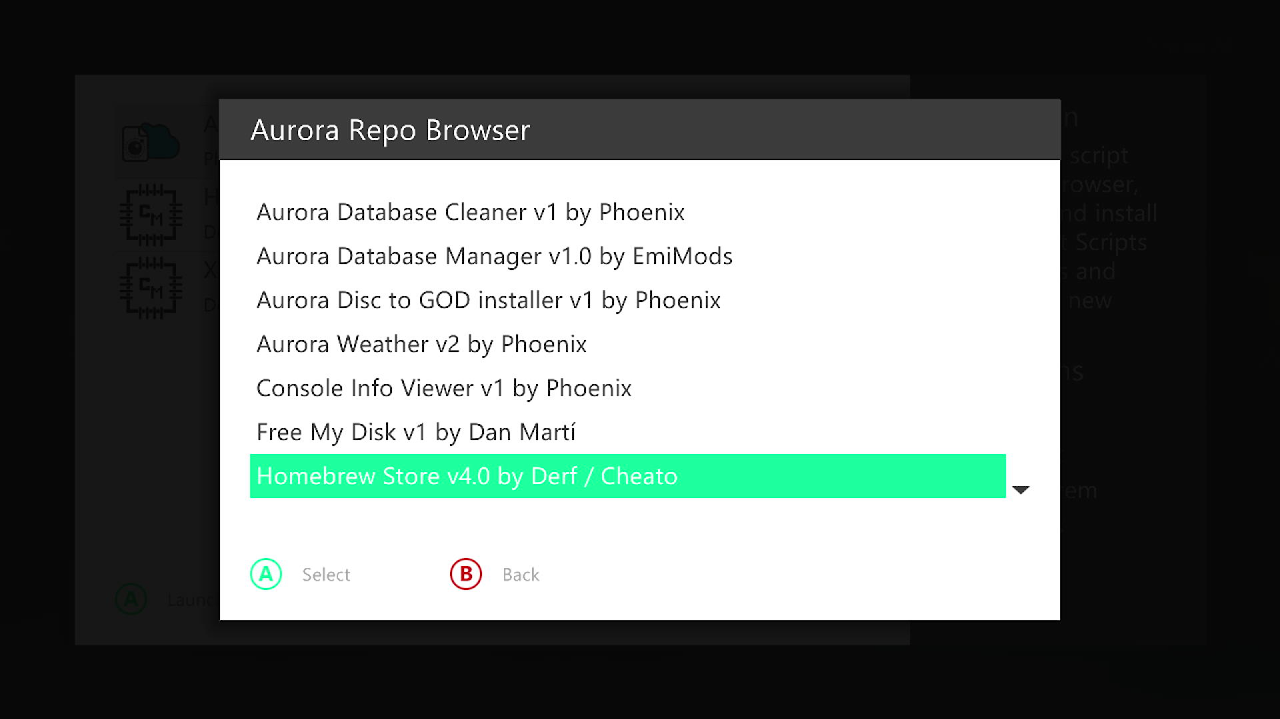
- Aurora repo browser
- Utility scripts
- Install Homebrew store v4.0 by Derf
Installing HDD Compatibility Fixer
- Aurora home and press back
- Go to scripts
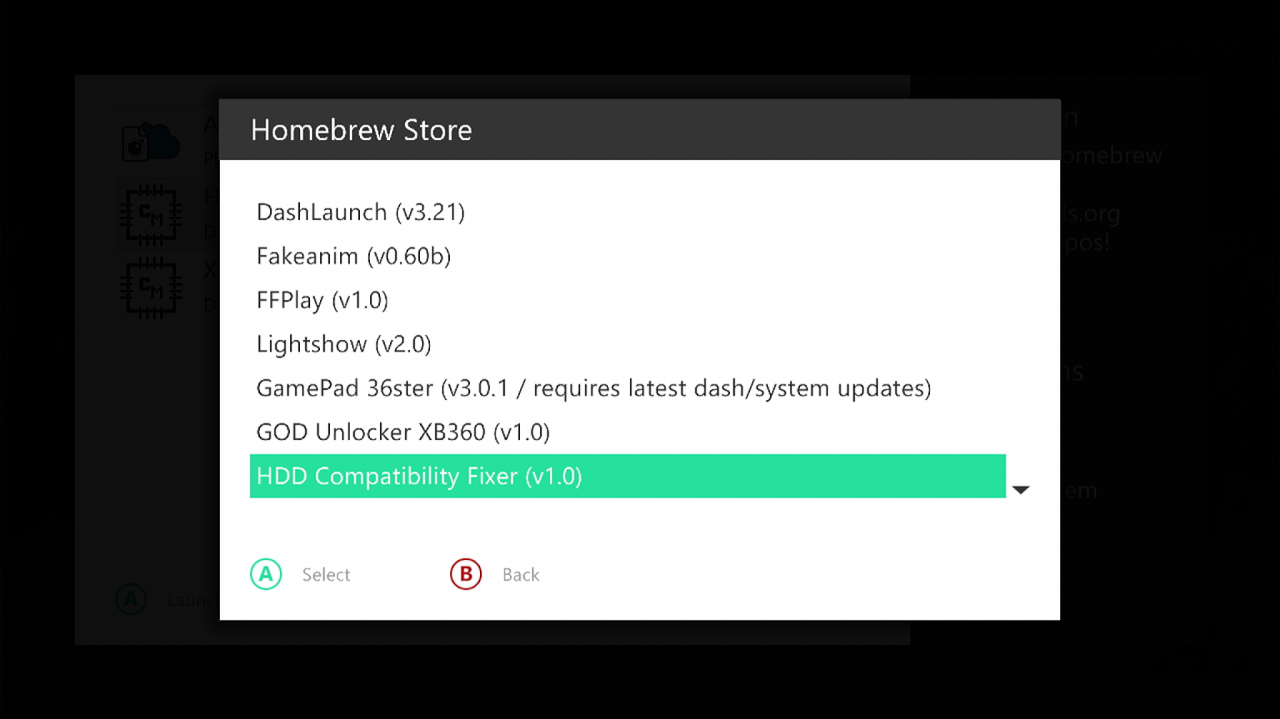
- Homebrew store
- Homebrew apps
- And download HDD Compatibility Fixer
Running HDD Compatibility Fixer
- Go to Aurora home
- Press back
- File Manager
- Go to hdd1
- Apps
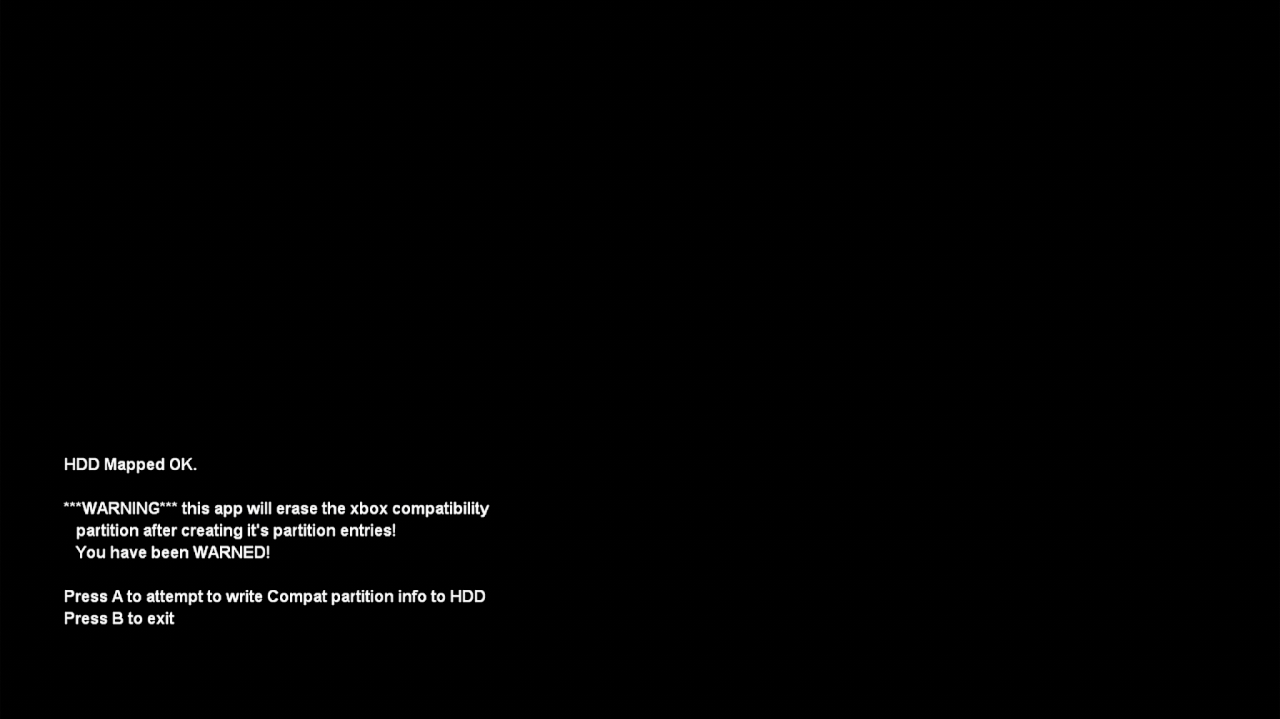
- HDD compatibility Fixer
- Open the .xex file
- It will show a screen saying Press A to make the partition, press A and follow the instructions on screen
Installing Required OG Xbox Files
- This will have made the partition for OG xbox games
- On Aurora home press back
- Scripts
- Homebrew store
- Other
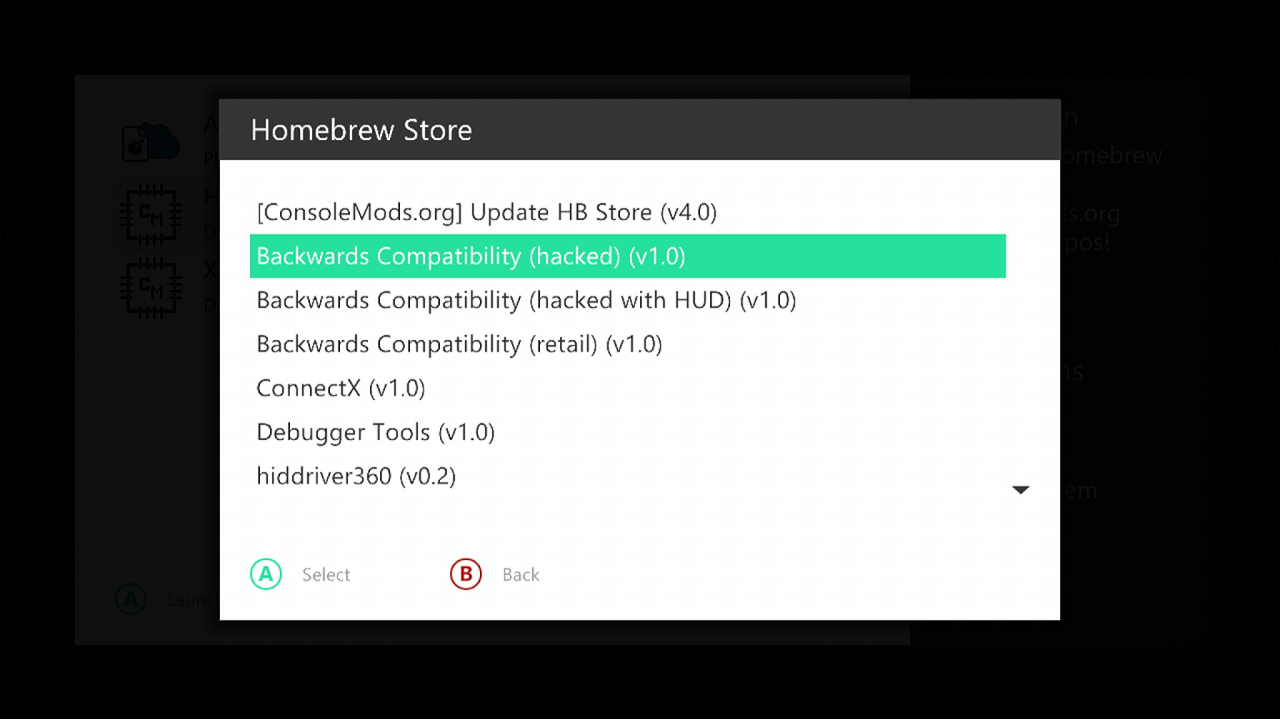
- And click select on backwards compatibility (hacked) (v1.0)
- It will ask you to confirm, click yes,
- Go to Aurora home and click back
- File manager
- You should now see a section under HDD1 called HDDX
- Open it and make sure you have a folder called compatibility, and that it contains these files.
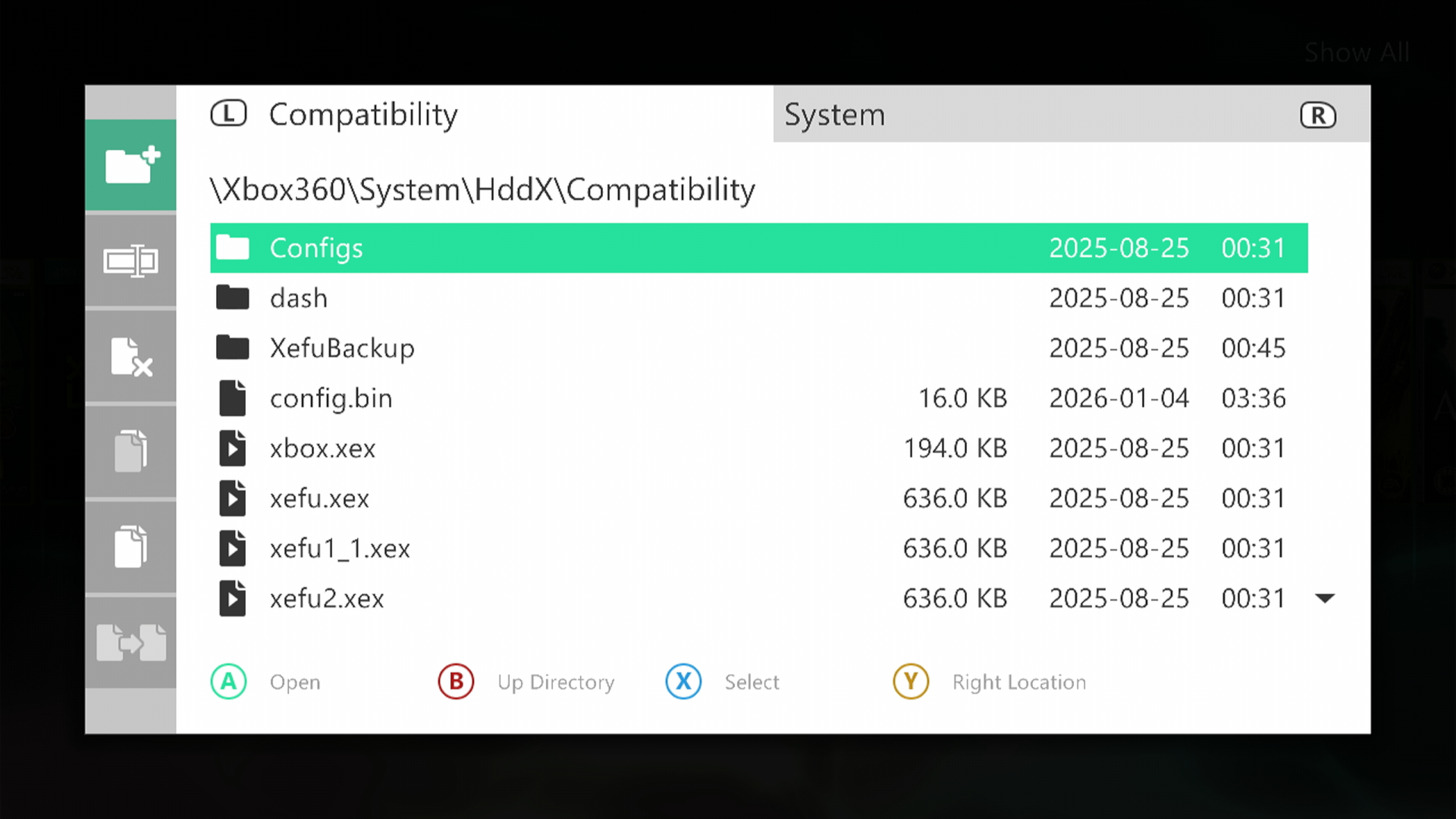
Installing Xefu Spoofer
- Go to Aurora home and press back,
- Scripts
- Homebrew store
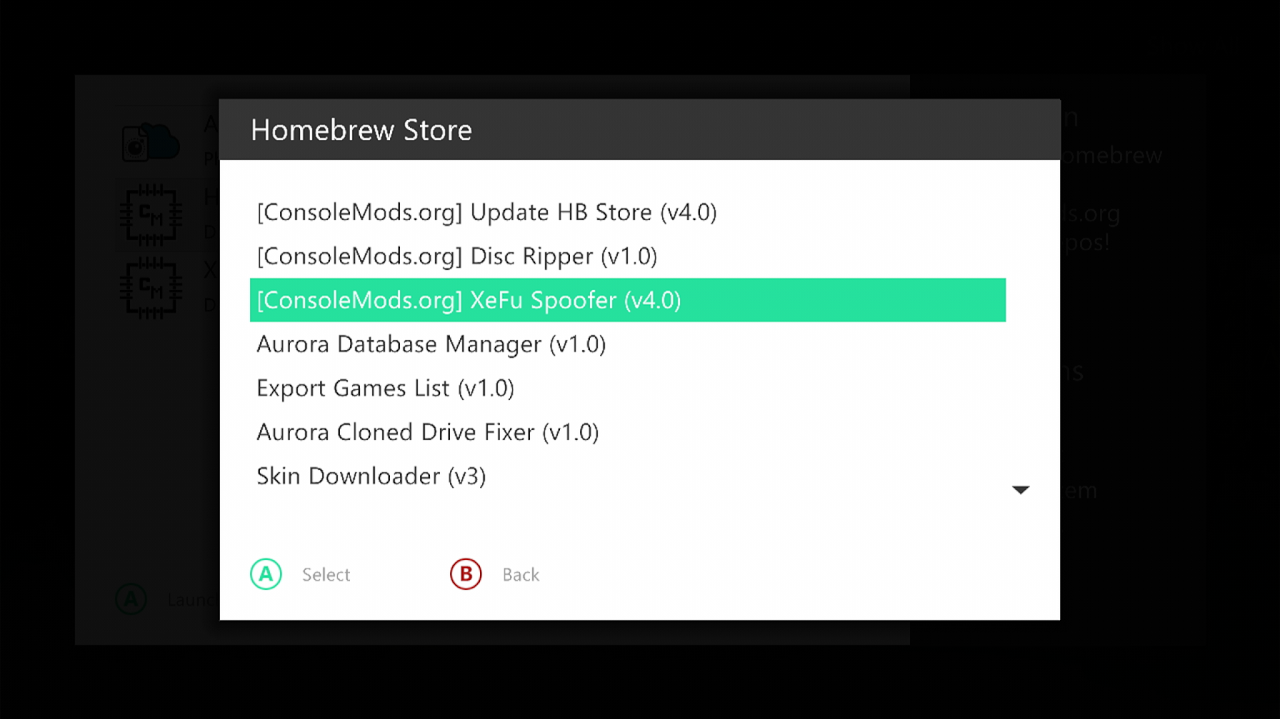
- Aurora scripts
- And install Xefu Spoofer
Applying a Xefu
- Reboot Aurora by going to Aurora home
- Pressing back
- And pressing restart
- Press back again
- Go to scripts
- Open Xefu spoofer
- Here you can choose which OG Xbox emulator version you would like to use from Microsoft.
- Xefu7 with config loader is the stable option for Xbox 360.
follow this to see which version works best for the game you want to play
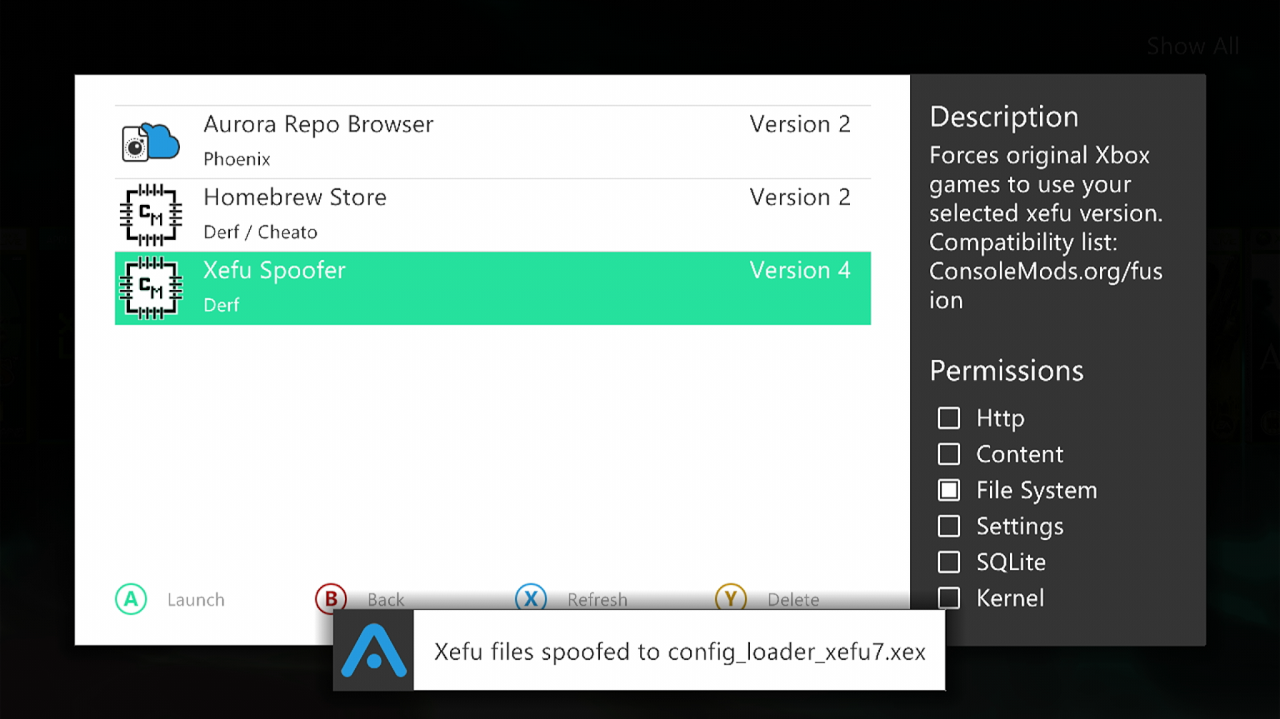
- For now, click Xefu 7 with config loader. Aurora should say the Xefu files were spoofed.
Install Your Games
- Finally download your OG xbox game you want to play,
- using this tutorial
- Add your games in GOD format.
ISO2GOD does support XISO format as well as ISO
- And rescan Aurora
- Your game should now boot and be playable