Dashboards and Tools
Using Older Dashes With xbGuard
Using Older Dashes With xbGuard
Installing xbGuard
- Starting off you need to install xbGuard
Downloading the Dash
Before exploiting make sure you are not connecting to the internet at all, no ethernet or wifi connected/enabled if using BadAvatar
- Boot your console
- On the xbGuard dash press right stick + dpad down to open the menu
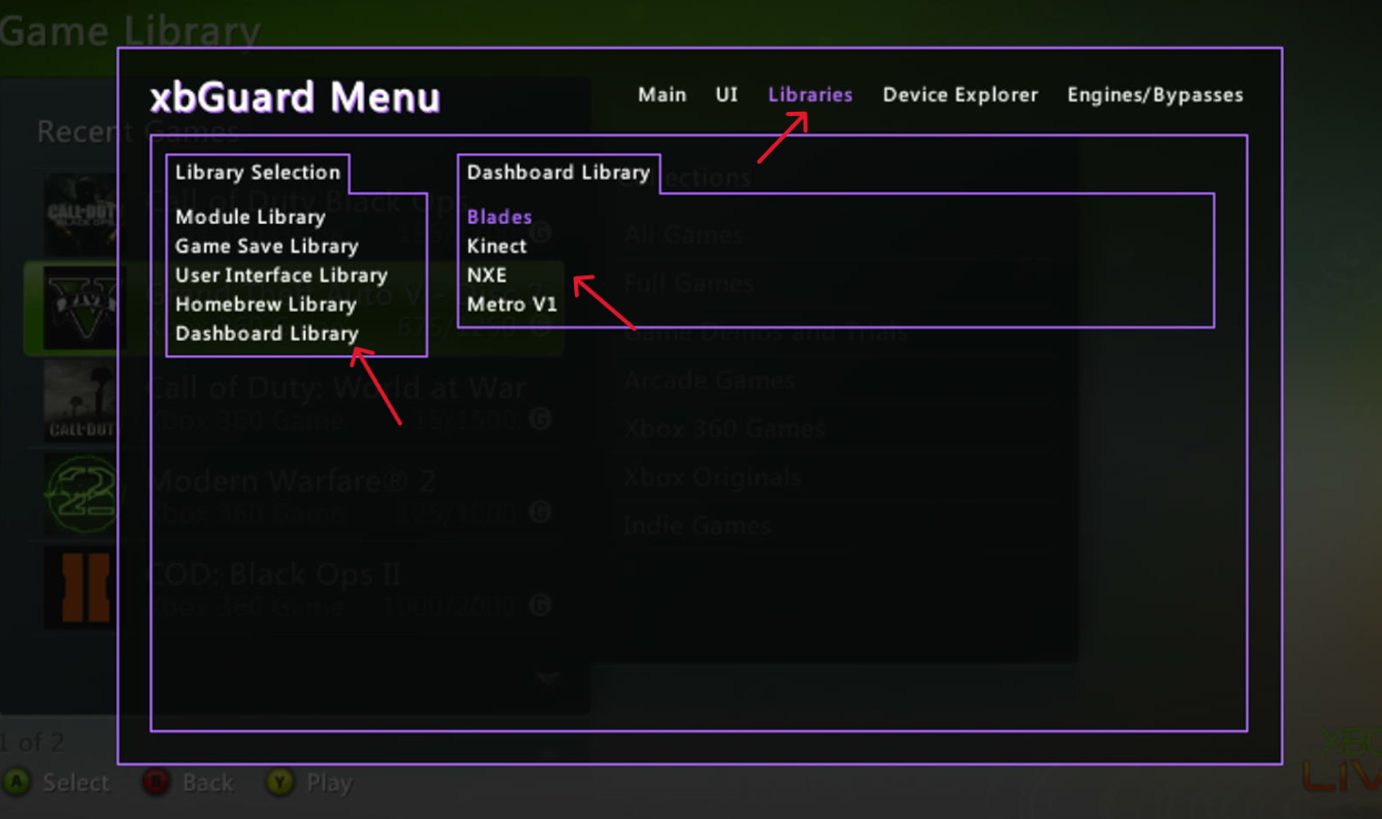
- Press RB and go to libraries then dashboards
- Select the dash you want and press A
- Wait for it to download
Loading the Dash
- If you dont want to always boot into the dash you can press right stick + dpad down to open the menu
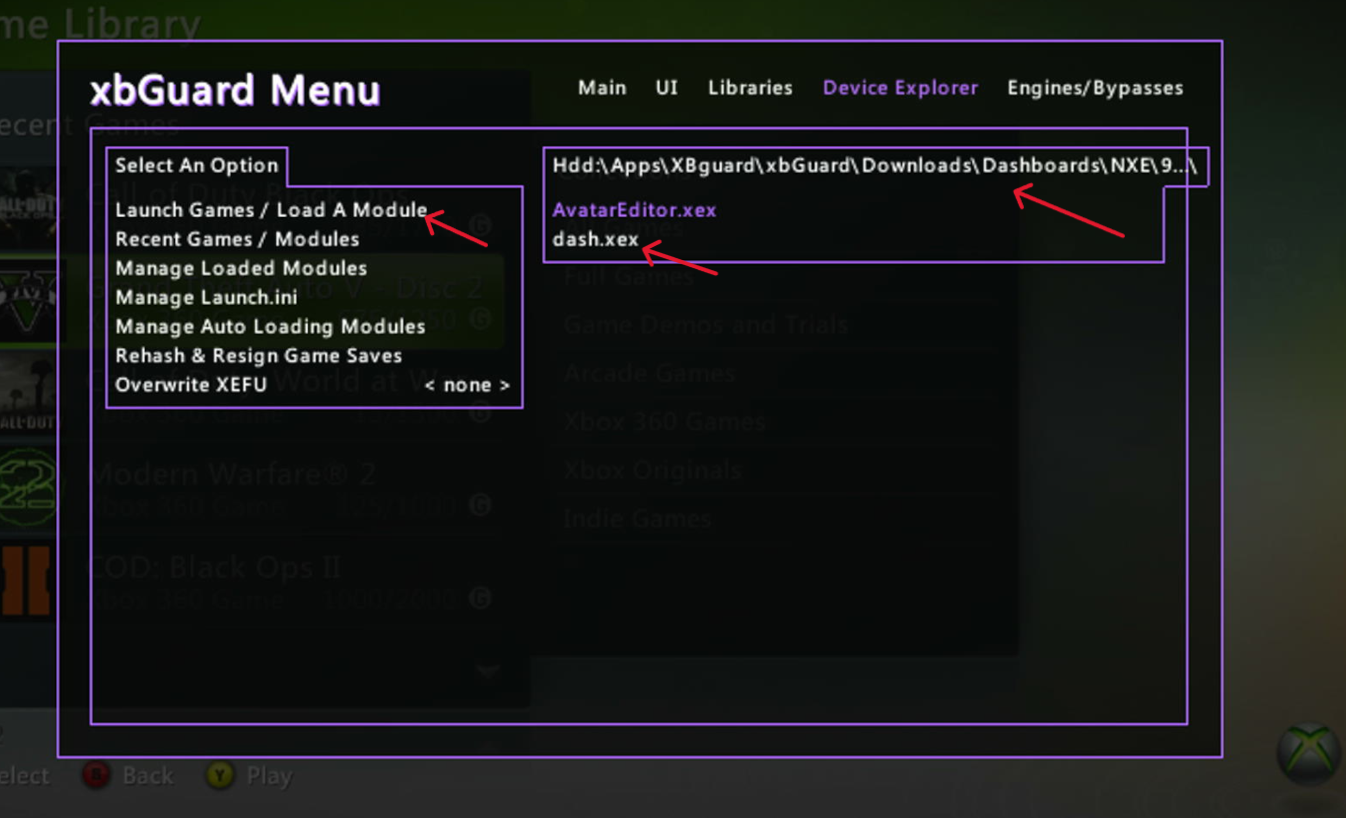
- Press RB and go to device explorer
- Press Launch game / Load a module
- Navigate to your xbGuard install
- Go to downloads
- Dashboards
- Open your dashes dash.xex
Making the Dash Load on Boot
- Sense you are already using xbGuard you can press RS+Dpad Down
- Go to Device Explorer
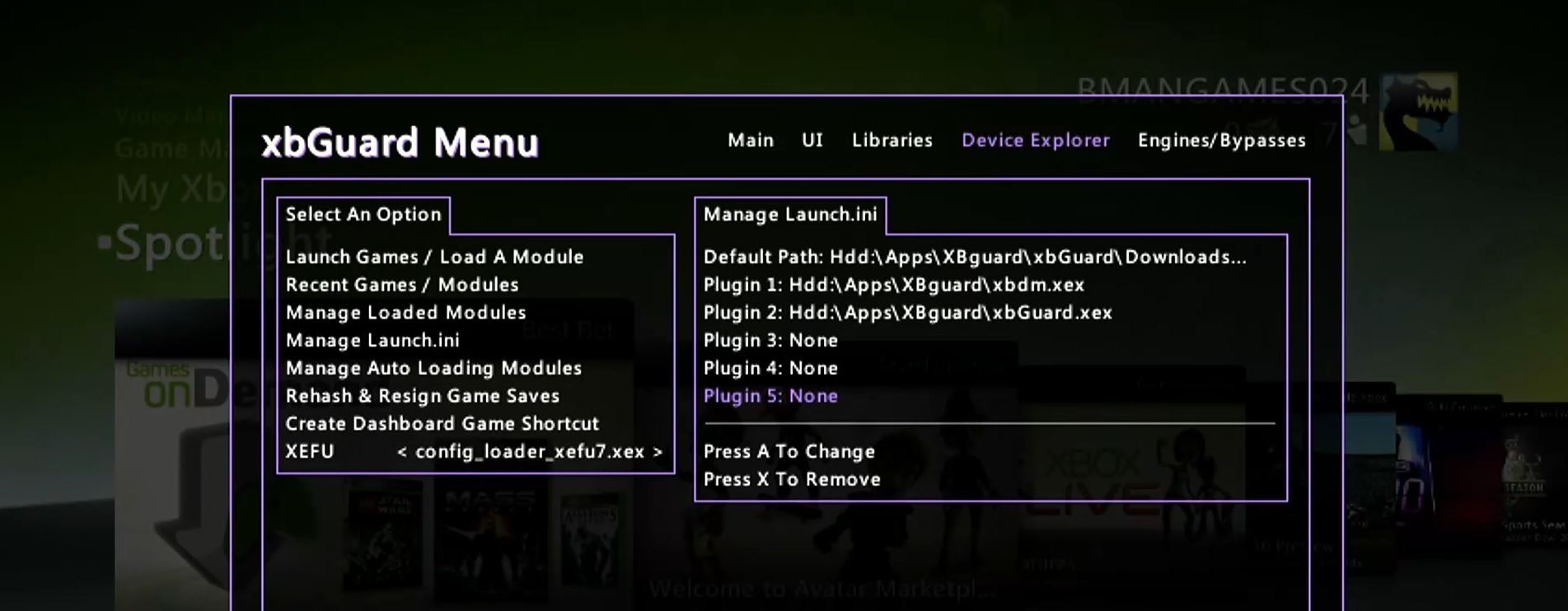
- Click Manage Launch.ini
- Set the dash to the default path